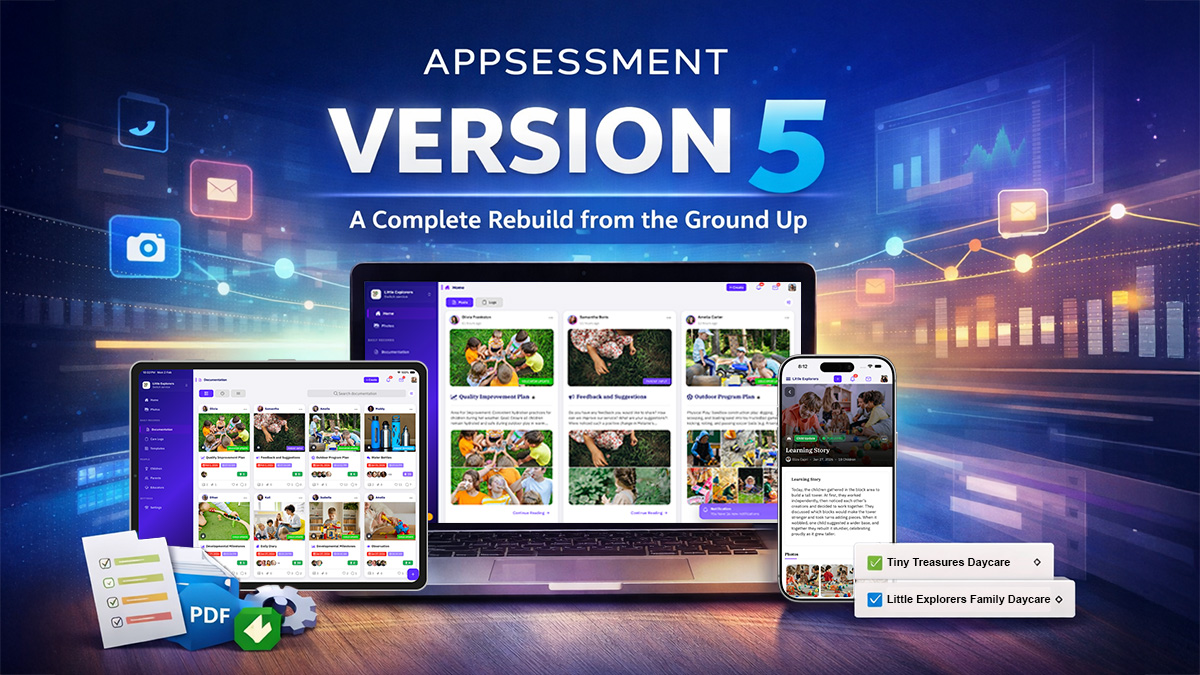
Version 5 is not just an update. It is the result of years of planning, listening, rewriting, redesigning, testing, refining, and rebuilding Appsessment from the ground up.
Every screen has been rethought. Every workflow has been reconsidered. Every piece of feedback received over the years has shaped this transformation.
Version 5 Highlights
- Complete platform rebuild for faster, smoother performance
- Fully redesigned Documentation experience with three view modes and a modern editor
- Seamless view-to-edit transition
- Care Logs redesign with dual perspectives and PDF export
- Powerful filters across the entire platform
- Advanced Notifications filtering by service and activity type
- Modernised Templates with drag-and-drop builder and preview panel
- Multi-service support for schemes, franchises, and dual-role users
- Redesigned Profiles with timeline view
- Significantly improved mobile and iPad experience
Below is a deeper look at what has changed and why it matters.
1. A Complete Platform Rebuild (From the Ground Up)
Appsessment has been entirely rebuilt using modern technology. The previous system served the sector well for many years, but as devices evolved and expectations changed, we knew the experience needed to evolve with it.
Version 5 introduces a faster, smoother and more stable foundation across desktop, iPad and mobile devices. What you'll feel immediately:
- Faster page loads
- Smoother scrolling
- Instant response to actions
- A more modern, native interface
- Significantly refined mobile apps
This rebuild ensures Appsessment can grow sustainably into the future with stronger performance and better compatibility across iOS and Android updates.
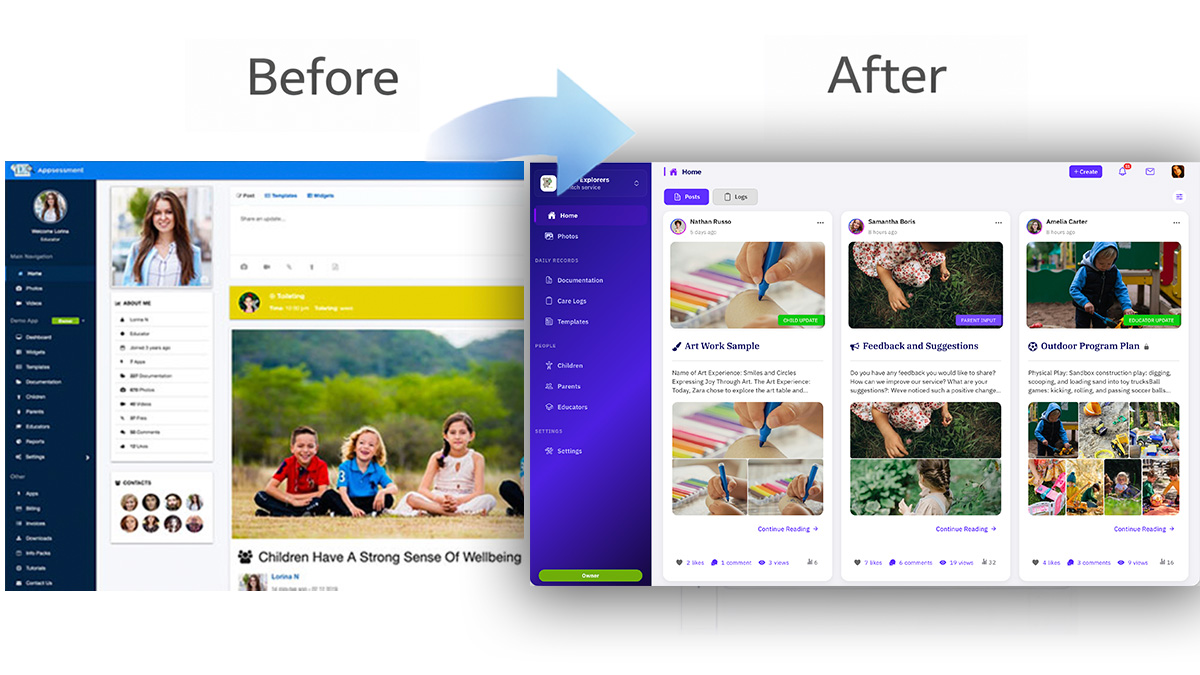
2. Designed for Every Screen - Desktop, iPad and Mobile
Documentation doesn't happen in one place. Sometimes you're at a desktop. Sometimes you're holding an iPad in a room. Sometimes you're quickly posting from your phone. Version 5 was intentionally crafted for each device, not simply resized.
On desktop:
- Clean two-column layouts
- Better use of space
- Streamlined reading experience
On iPad:
- Improved spacing
- Touch-friendly controls
- Optimised larger-screen layouts
On mobile:
- Native-feeling navigation
- Smoother transitions
- Faster photo uploads
- Cleaner editing screens
Every screen now feels cohesive and modern.
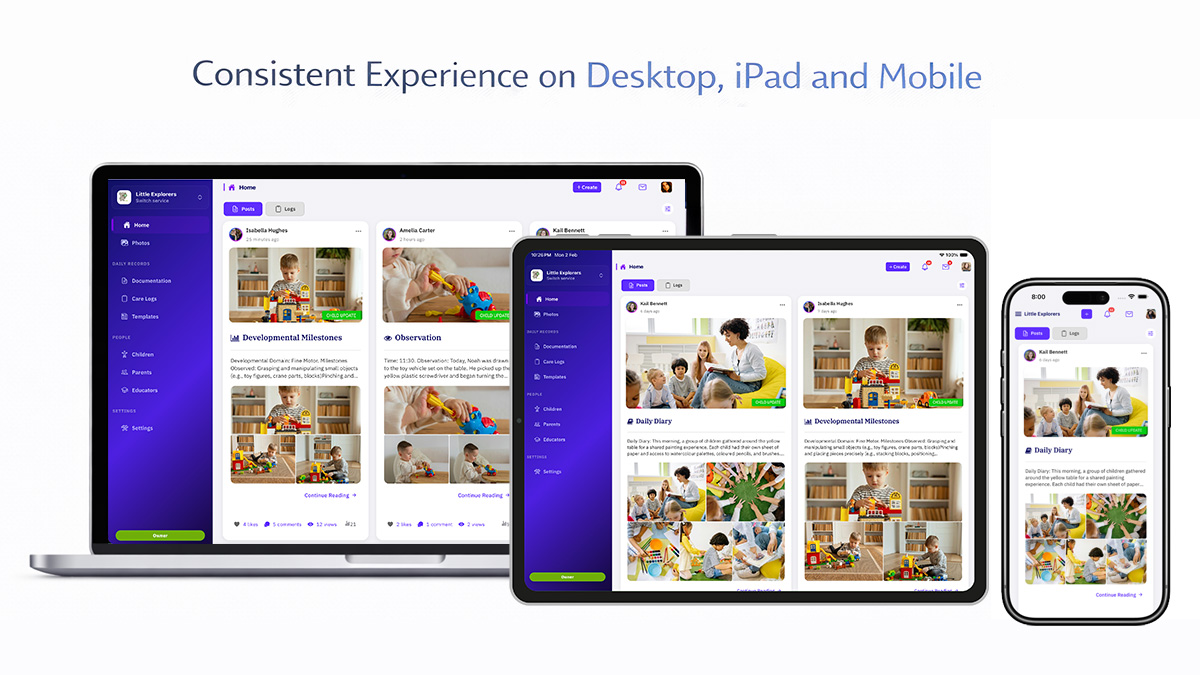
3. Multi-Service Flexibility - Built for Real-World Childcare Structures
One of Appsessment's most powerful strengths is its multi-service architecture. One user account can securely connect to multiple services, each with its own data, permissions and settings. This is transformative for:
- Family Day Care schemes
- Multi-centre organisations and franchises
- Educators working across services
- Parents with children enrolled in multiple centres
- Users who are an educator in one service and parent in another
Each service remains fully separated yet accessible through a single login. Users can switch services instantly, receive filtered notifications per service, maintain separate roles and permissions, and keep parent and educator views clearly separated.
Version 5 makes this experience smoother and more visible than ever.
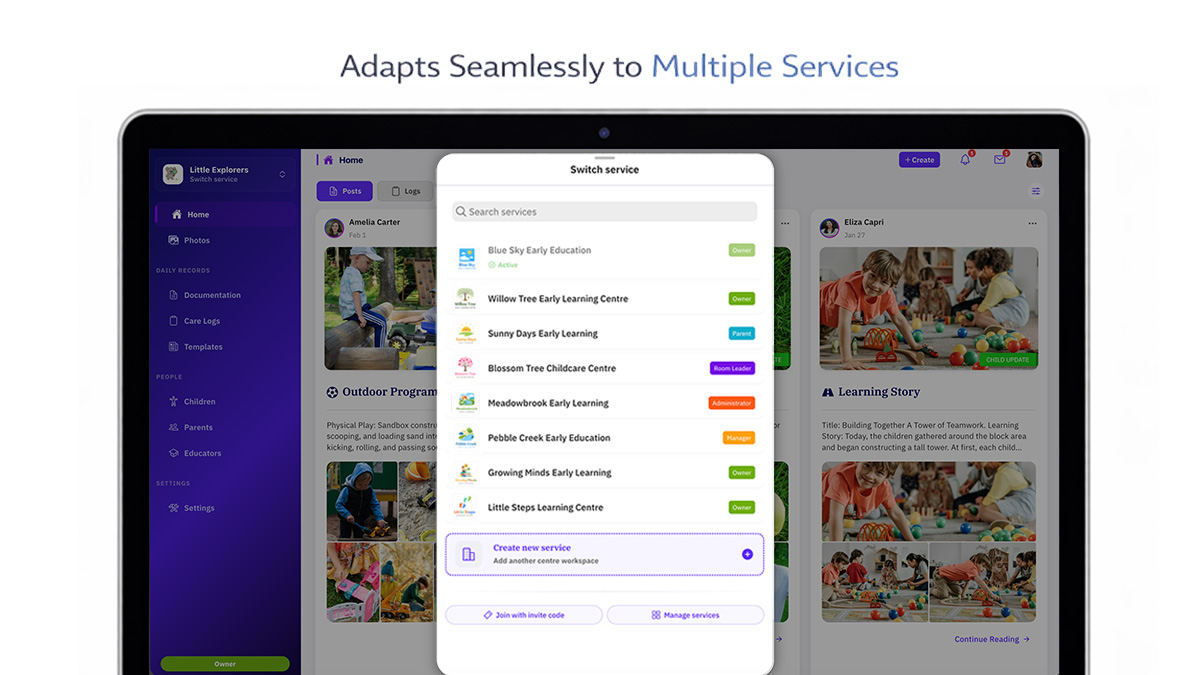
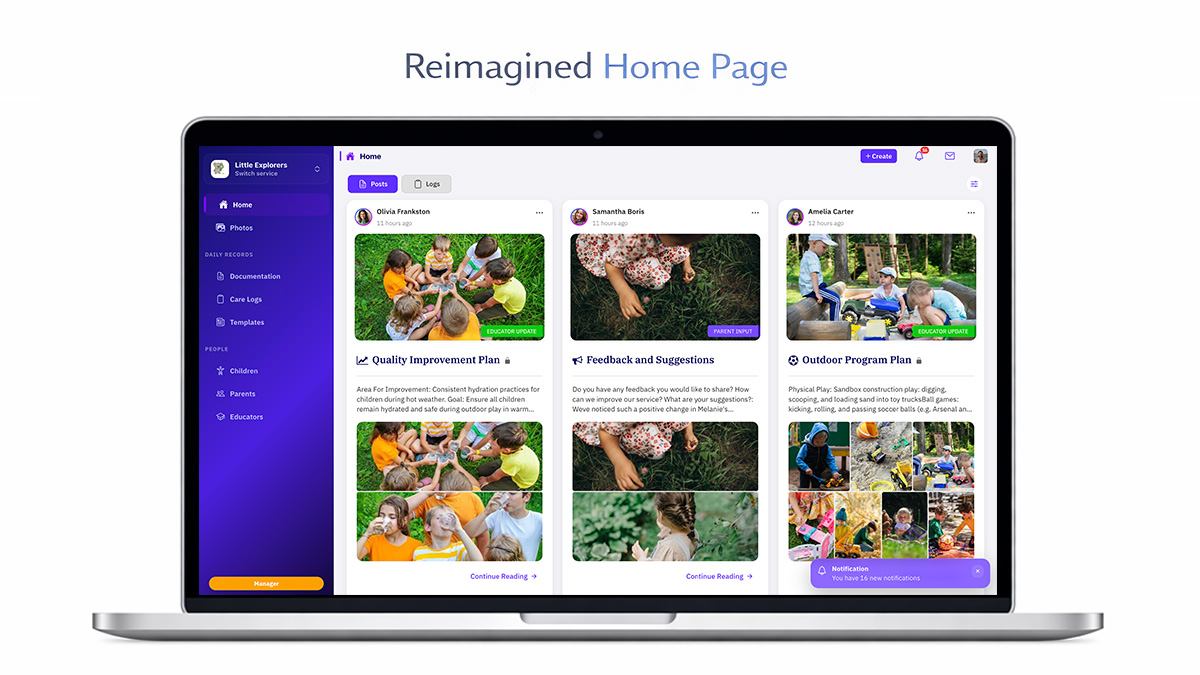
4. A Beautifully Reworked Home Page
The Home Page has been completely redesigned. Previously, updates were stacked in one long stream. Now, the experience feels calm, structured and purposeful.
Two dedicated tabs:
- Documentation Timeline with image-rich posts, comments, likes, clear engagement indicators, and a beautiful reading layout
- Care Logs Timeline with organised daily routines, clear grouping, and easy scanning
Filters allow narrowing by date and children. For dual-role users, you can now switch between educator and parent views for clarity.
5. Filters - Now Across the Entire Platform
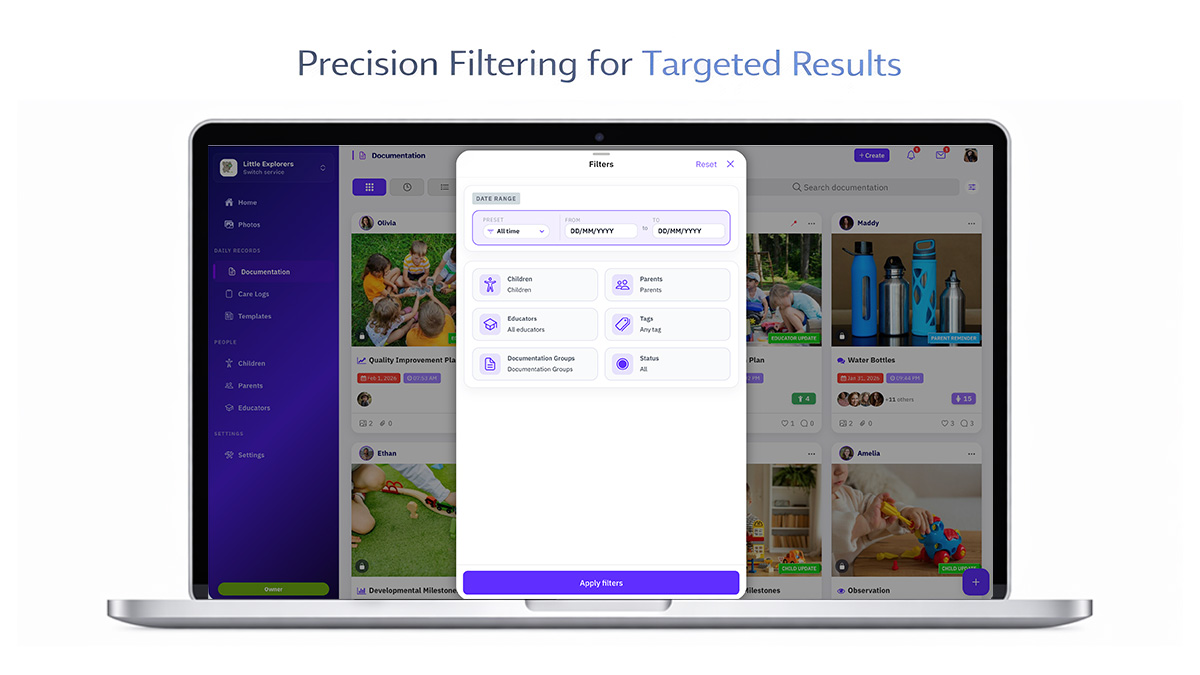
Filtering is now deeply integrated throughout Appsessment across Home, Documentation, Care Logs, Photos, People, Templates, and Notifications.
Filter by:
- Date ranges
- Children, parents, and educators
- Tags and status
- Active or archive profiles
- Service
Filtering is no longer an afterthought. It's built into everyday workflow.
6. Documentation - Completely Reimagined
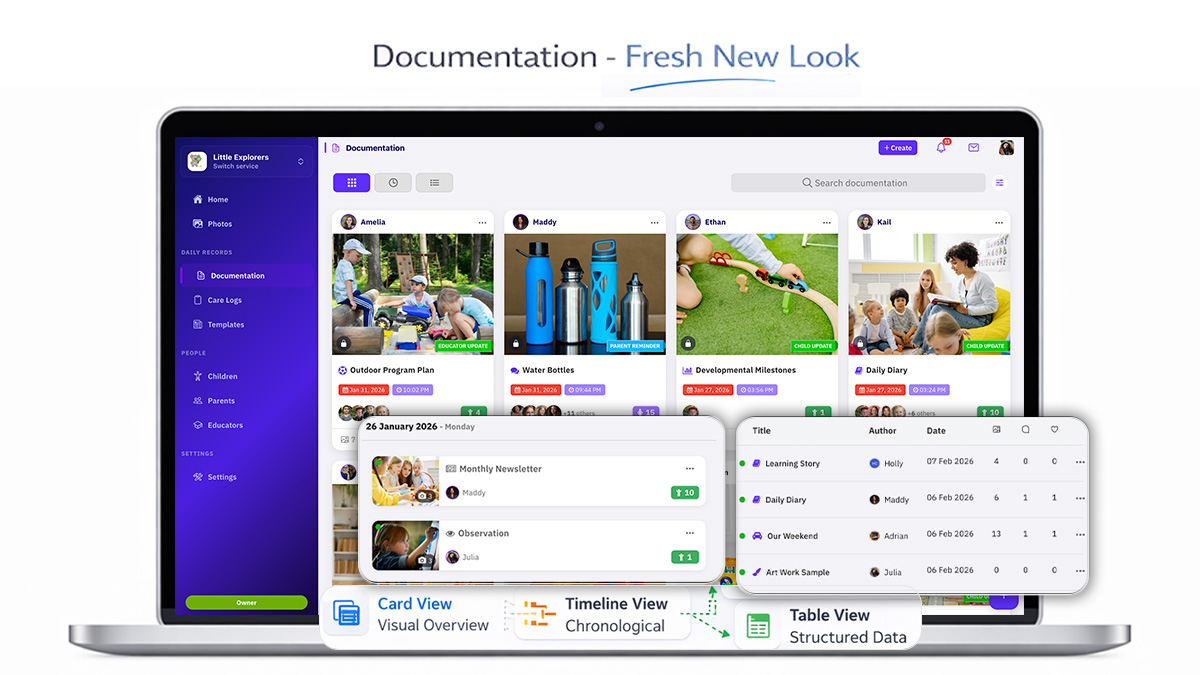
Documentation remains the heart of Appsessment and it received the most attention in Version 5.
Three Viewing Modes
- Card View for a visual overview
- Timeline View for chronological storytelling
- Table View for structured scanning
A Beautiful Documentation Detail Page
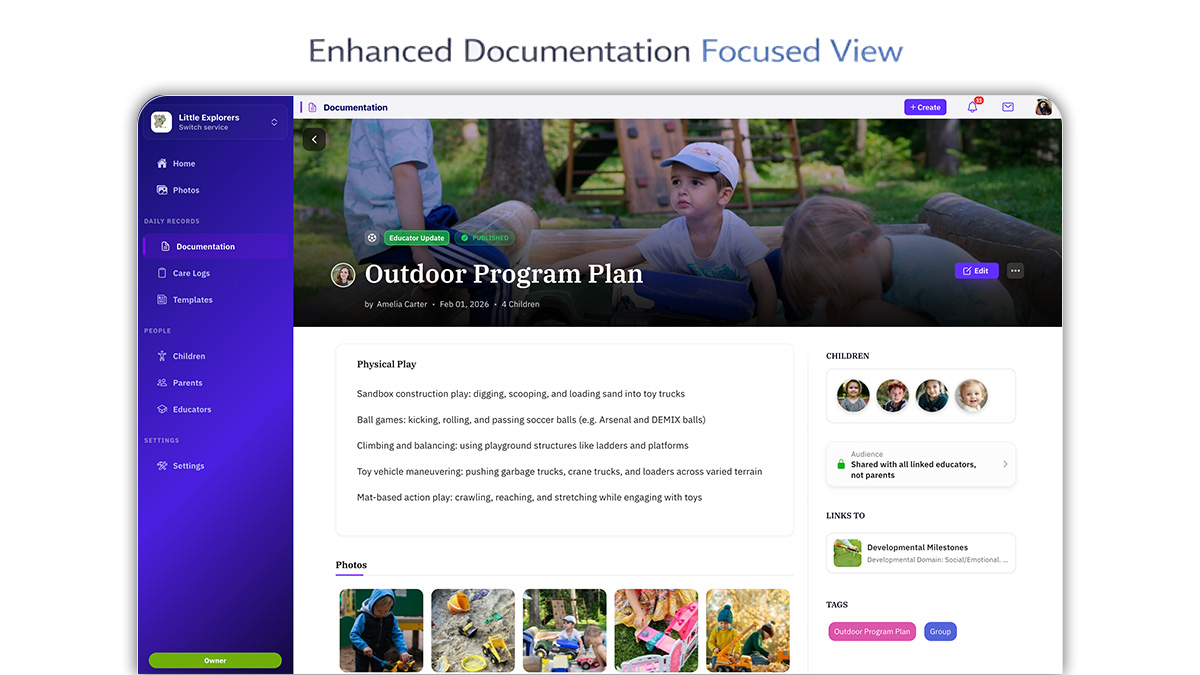
This is where educators craft stories and where parents spend the most time reading them. The layout was redesigned to feel calm, immersive and emotionally engaging.
Key features:
- Hero banner image
- Clean reading layout
- Sidebar with profiles, tags and links
- Streamlined view-to-edit transition
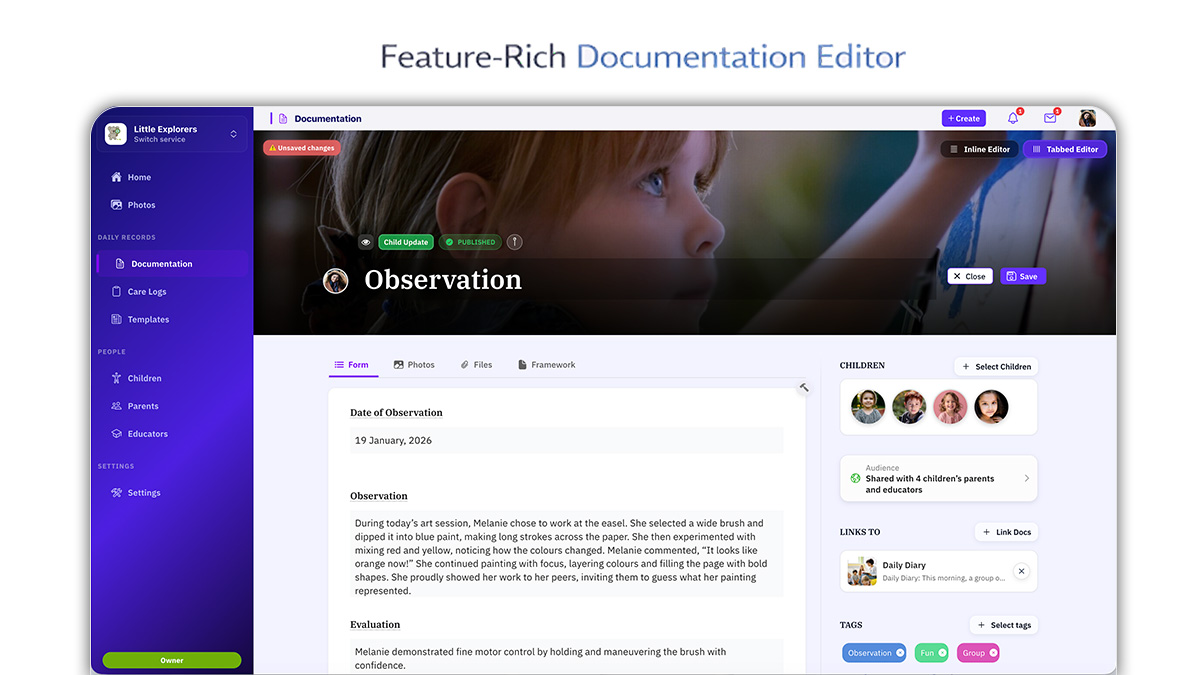
A Fully Enhanced Documentation Editor
Users can choose between inline editing mode for mobile and tabbed editing mode for power users. Media handling is dramatically smoother.
Key improvements:
- Drag-and-drop field reordering
- Smooth photo and file rearrangement
- Banner image selection
- Improved framework selector and tag selection
- Linked documentation selection
- Audience visibility controls
It no longer feels like filling out a rigid form. It feels like crafting a story.
7. Care Logs (Previously Widgets) - Fully Redesigned
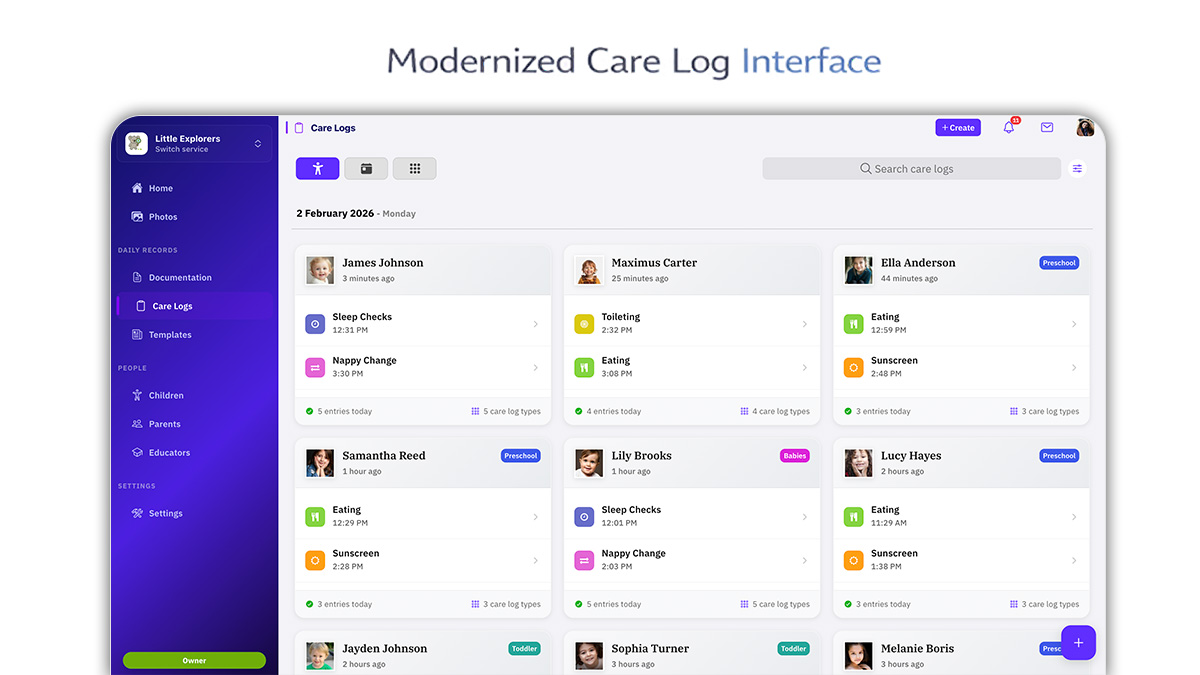
Widgets are now called Care Logs, a clearer reflection of their purpose. You can view logs from two perspectives:
- Children to Care Logs
- Care Logs to Children
Care log templates are fully customisable, and entries open in a clean editing panel for quick updates.
Care Log Export - Now Available
Care Logs can now be exported to PDF just like Documentation. Users can export children's care logs, select date ranges, and generate structured PDF outputs. The PDF design has been fully improved and is cleaner and more professional.
8. Templates - More Flexible, More Powerful, Truly Yours
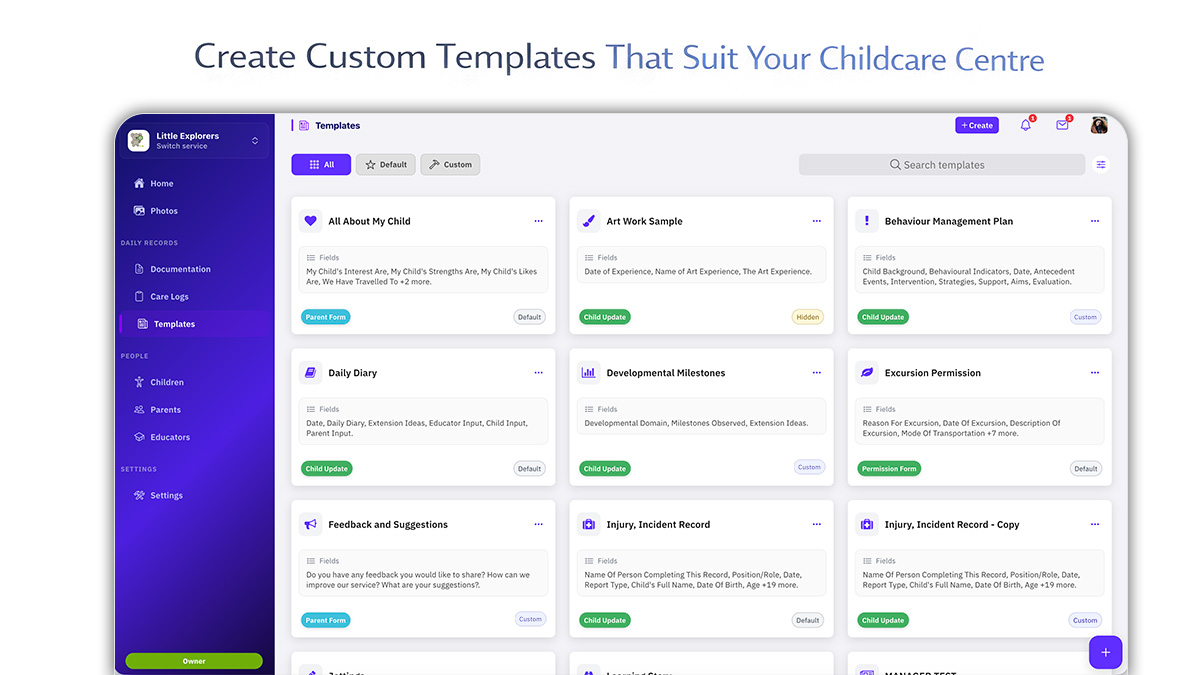
Templates are one of Appsessment's strongest features. Version 5 modernises the experience with:
- Instant template preview panel
- Default, custom and all filters
- Duplicate templates
- Sort by name or recently updated
- Drag-and-drop field rearranging
- Redesigned custom template builder
Templates give services freedom to align documentation with their philosophy and compliance needs, and Version 5 makes that freedom easier to use.
9. Photo Gallery - Modern and Responsive
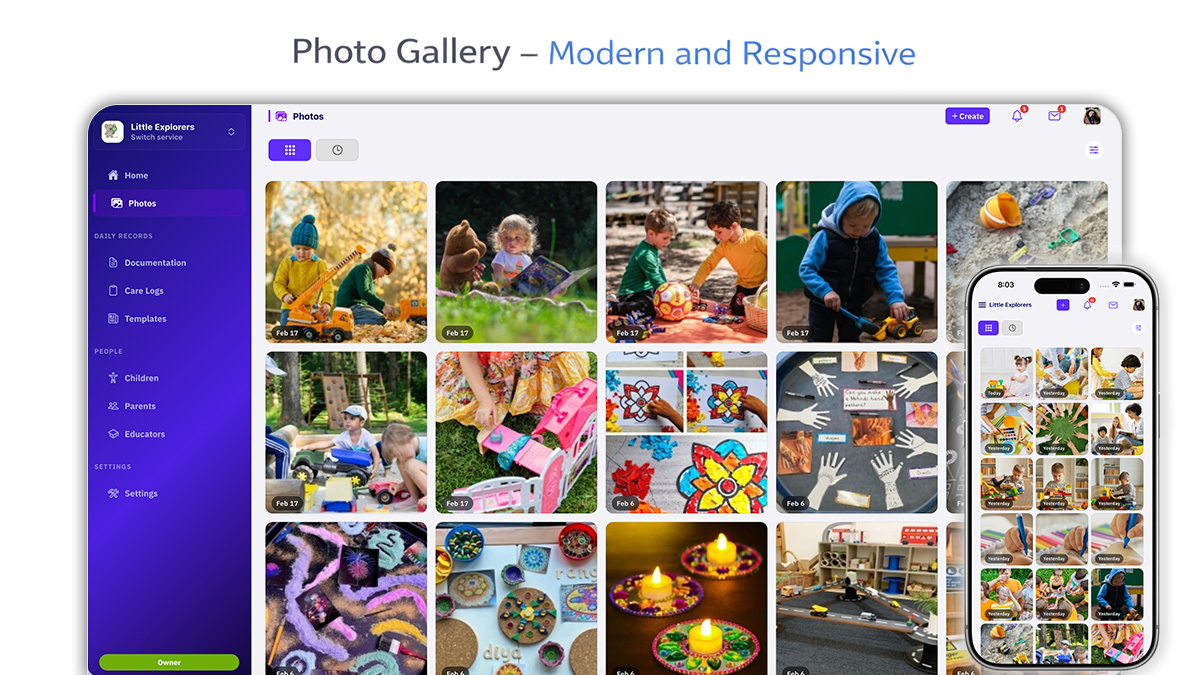
The Photos section has been fully modernised with gallery view, timeline view, date and child filters, smooth full-screen swipe, and a download option. It is especially powerful on mobile.
10. People - A More Meaningful and Beautiful Experience
The People section has been significantly improved. List pages now include card view, timeline view showing recent activity, active and archive filtering, and improved search and sorting.
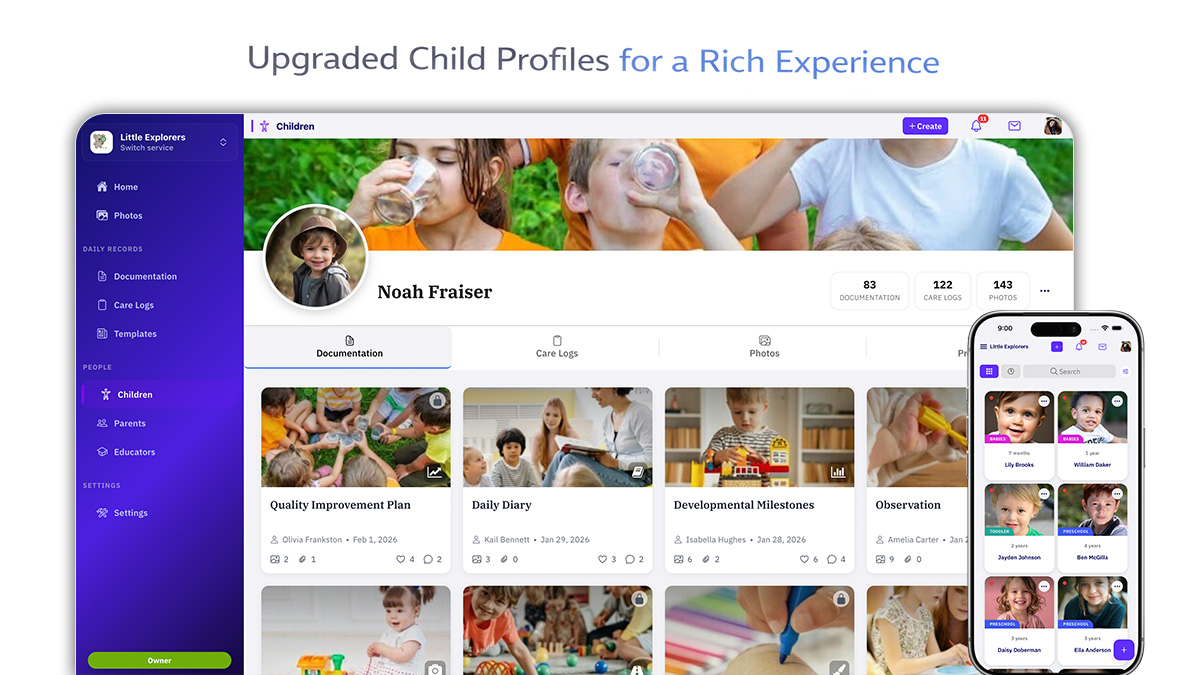
Profile pages feature a hero banner, avatar, activity overview, and dedicated tabs for Documentation, Care Logs and Photos. The Child Profile page was crafted to feel warm, structured and meaningful.
11. Private Messaging - Completely Reworked
Messaging has been rebuilt for clarity and responsiveness. On desktop, it uses a multi-column layout with a clean conversation list. On mobile, the interface is focused and faster to load. The experience feels lighter and more modern.
12. Notifications - Smarter and More Powerful
Notifications are now a true activity centre. Filter by service, documentation, comments, likes, system, or all. The cleaner design and faster loading make catching up easy, especially for multi-service users.
13. Navigation - Clearer, More Logical and Connected
Navigation has been reorganised to reflect how educators work.
Sidebar groups:
- Home and Photos
- Daily Records
- People
- Settings
The Service Switcher at the top allows instant movement between services. Account items now sit under the profile menu: Account, Services, Billing, Invoices, Downloads and Support. Navigation now feels lighter and easier to understand.
14. Settings - Fully Rebuilt
Settings now include App Details, Rooms, Roles, Tags, Frameworks (updated NQS 2026), and App Settings organised into clean, intuitive tabs.
A Living Platform
Version 5 is stable and actively evolving, but it is not a finish line. Large rebuilds are about laying the right foundation for the future. You will continue to see refinements and polish updates as feedback shapes ongoing improvements.
A Final Reflection
Version 5 represents years of dedication, collaboration and care. What you see above covers the major improvements, but there are hundreds of smaller refinements woven throughout the platform.
Appsessment Version 5 is not just a redesign. It is a reimagining of how childcare documentation can feel: calmer, more flexible, more powerful, more beautiful. And most importantly, built to support educators and families in the real rhythm of daily care.
This is not the end of the rebuild. It is the beginning of the next chapter.